December Daily® 2022 | Story 05
Tags:
Welcome to Story 05 in my 2022 December Daily® project.
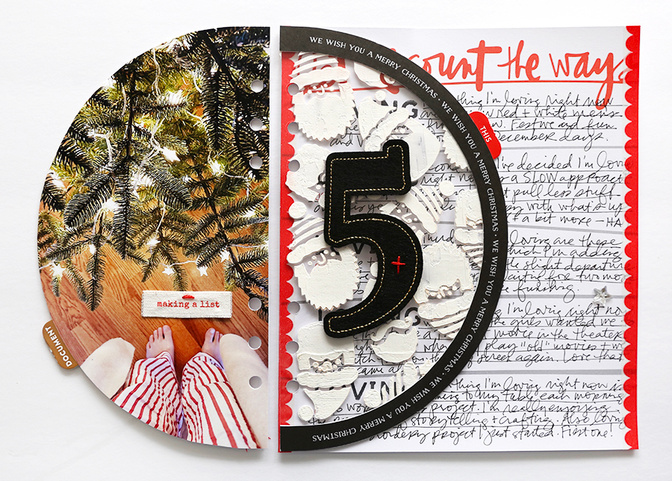
For today's story I made a list of five things I'm loving right now at the start of the season and played around with creating a custom texture paste transparency in a half-circle shape.
Let's dive into the video:
Here are additional images + details:
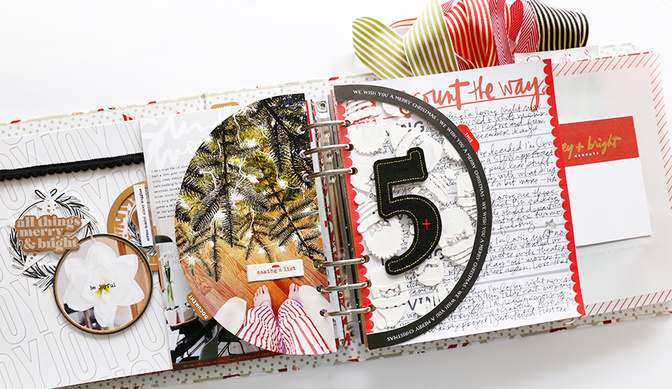
I started this page with a half circle photo of my feet in front our our partially decorated tree. I edited and cropped my photo and printed it 5 inches wide x 9 inches tall (that gave me enough extra to play around with before trimming) and then used the shaker page from yesterday as a template to cut my photo to the correct shape.
I love how this turned out!
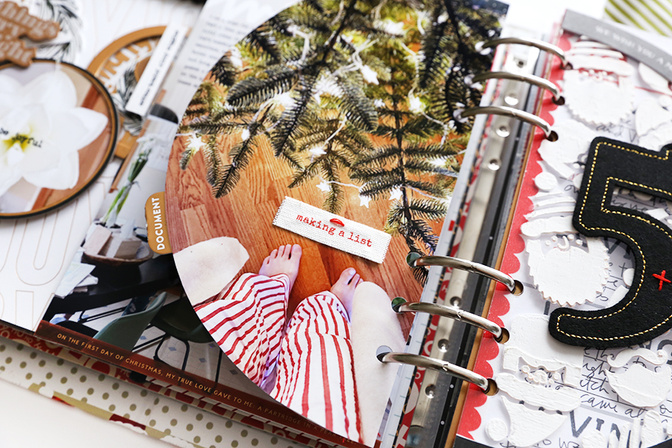
Before adhering my photo to the shaker page I added a sticker tab to the back. On top of the photo I added a canvas phrase and one small red embroidery stitch on top before adhering with red line tape.
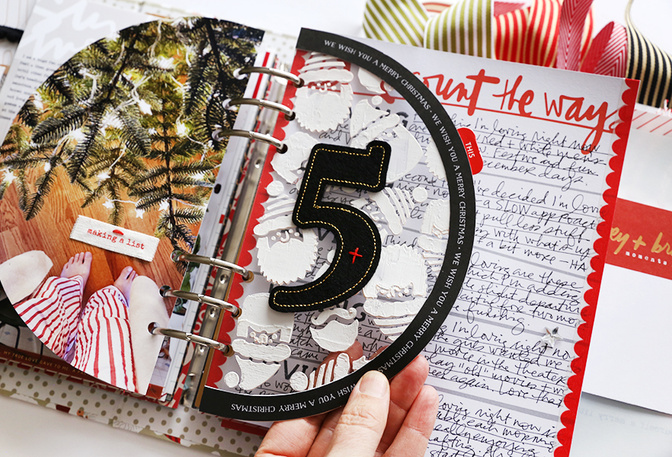
To create a home for my felt number 5 I first cut out the black and white outline border from the original die cut half page.
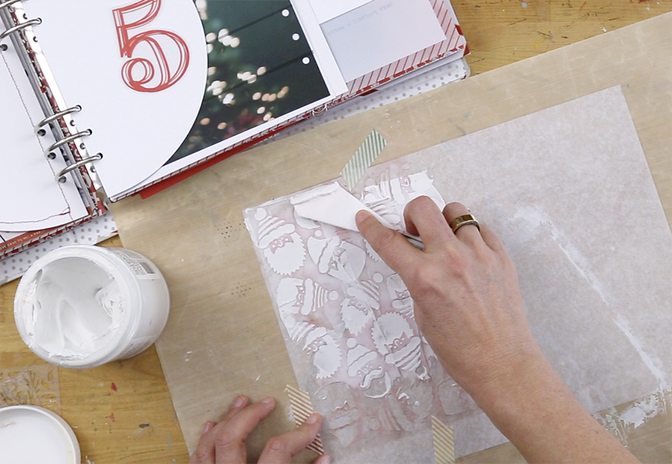
To create the custom textured transparency I used the Santa Stencil on top of a transparency and added Liquitex Texture Paste using a palette knife on top. If you don't want to make your own transparency this would be a great place for a pattern vellum or pattern transparency.
Have you seen our post from Kelly Ishmael that includes a DIY Stencil Tutorial? Check it out here.
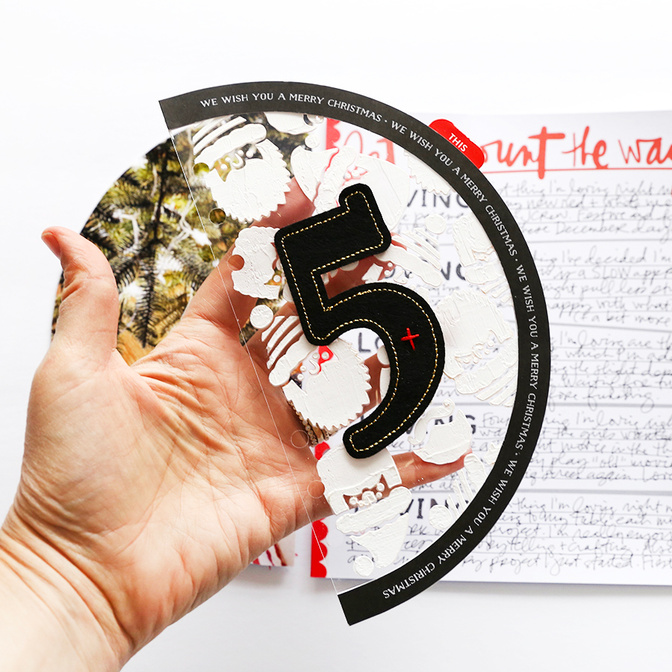
After the transparency + texture paste dried I adhered the half circle border using rolling adhesive and cut off the excess around the outside. I attached the felt number five with a bit of red embroidery thread.
Texture paste is so fun! If you don't want it white you can always mix in some acrylic paint.
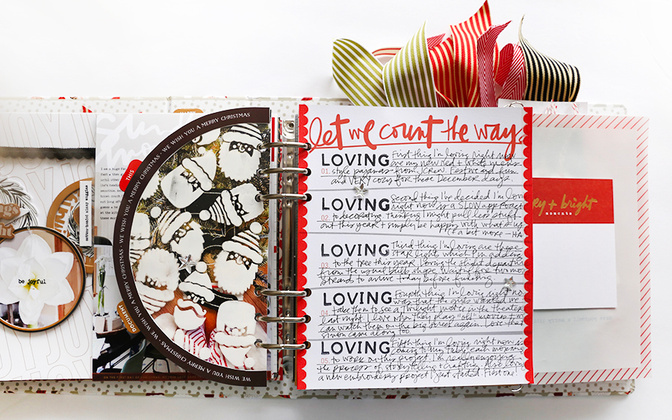
After the half circle pages I've got the fun "let me count the ways" pattern paper from our Numbers Scrapbook Kit.
I also printed the digital version of the half circle page in order to have a border on the back side. You could easily cut a pattern paper to this shape if you don't have the digital version of that design. Did you know that the digital package for the die cut page inserts includes Silhouette files + .svg files? Super easy to cut on a die cutting machine too.
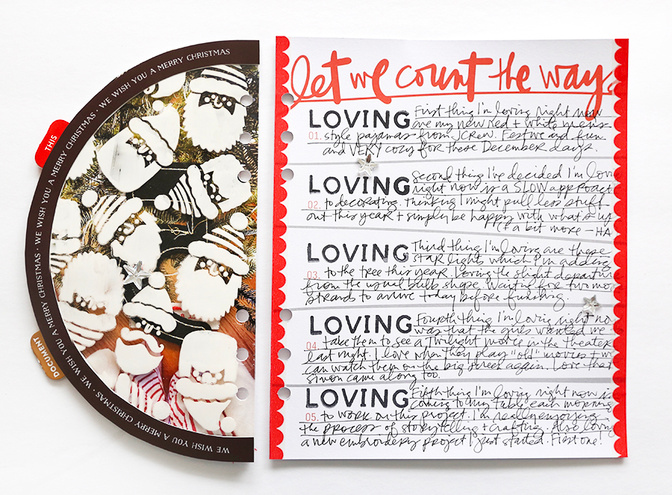
I used the Double Alpha Stamp Set for the word "loving" and then added my journaling using a Uniball Vision Elite pen.
Along the outside edges of the pattern paper I added a fun new scallop washi tape from Doodlebug.
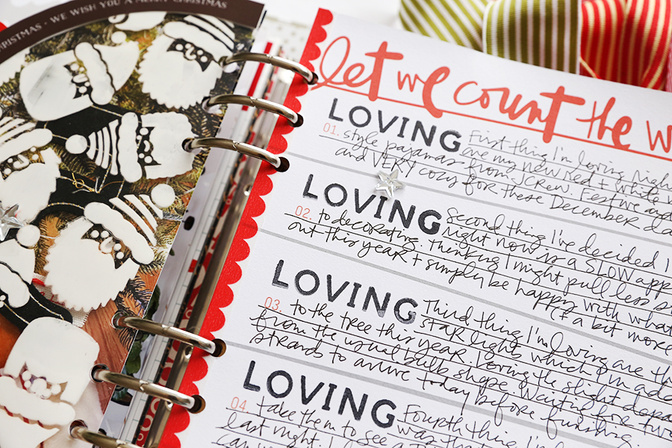
To finish it all off I added a couple small mirrored stars from Tim Holtz.
SUPPLIES
December Daily® Main Kit (digital available)
Transparency (not ink jet)
December Daily® Stencils (digital option)


Comments
Sign in or sign up to comment.
9 comments
This looks like SO much fun! I did snag the Stencil Kit 🙂 so I can hardly wait to play!
Replies to laura_g_
Sign in or sign up to reply.
Love this Ali! I want to try the Santa Stencil w/texture paste. And love your statement: BE THE BOSS OF YOUR SUPPLIES.
Replies to CraftyCat
Sign in or sign up to reply.
I think this is my favorite page so far, love the textured santas on the tranparency.
Replies to pierek14
Sign in or sign up to reply.
Well this is very serendipitous 😂 I never straight scraplift but I had planned to use that let me count the ways paper for my day 5 and I have all the things you used and I love how it turned out so I’m going for it. Your joy is infectious.
Replies to Julie_scraps
Sign in or sign up to reply.
Is there any way you could sell a digital file of just the red transparent numbers? I am obsessed and willing to pay but I don't need everything in the Numbers kit. Thank you for all the inspiration!!
Replies to dhoswald
Sign in or sign up to reply.
Hi, I agree with the fellow commenter above. Is there any way you could sell the number 5 and I would love Ali's handwriting-let me count the ways or something similar so that I could do a page like hers? ty
Replies to BetsyB
Sign in or sign up to reply.
I just love this! SO much going on! Today I shared a story about the Christmas markets my children participated in https://digitalscrapbookinghq.com/homeschool-christmas-markets-december-down-under-fave-3/
Replies to mshanhun
Sign in or sign up to reply.
Texture paste on a transparency….wow!! Can’t wait to play!
Here is my Day 05
https://www.instagram.com/p/Cl3bZfnupo9/?igshid=YWJhMjlhZTc=
Replies to Mpasquini12
Sign in or sign up to reply.
Hi Ali, Could you please add the link to the Epson photo paper you used?
Replies to mitchmac
Sign in or sign up to reply.