December Daily™ 2011 | Day Twenty-One
Tags: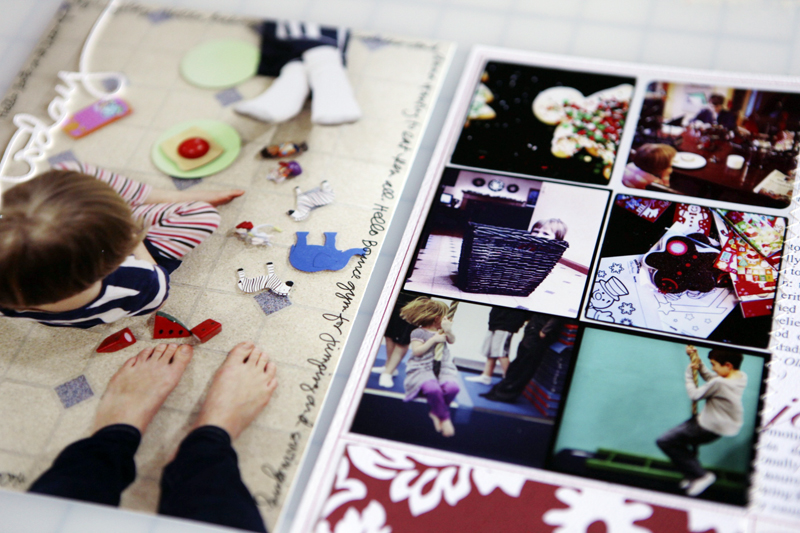
Welcome to December Daily™ 2011 | Day Twenty-One.
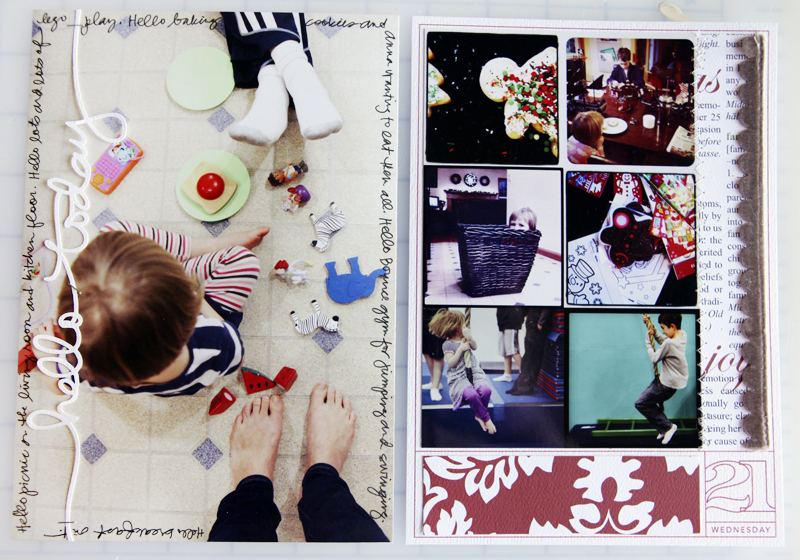
An enlarged photo looking down at the picnic happening on the floor for page one and a collage of instagram images for page two.
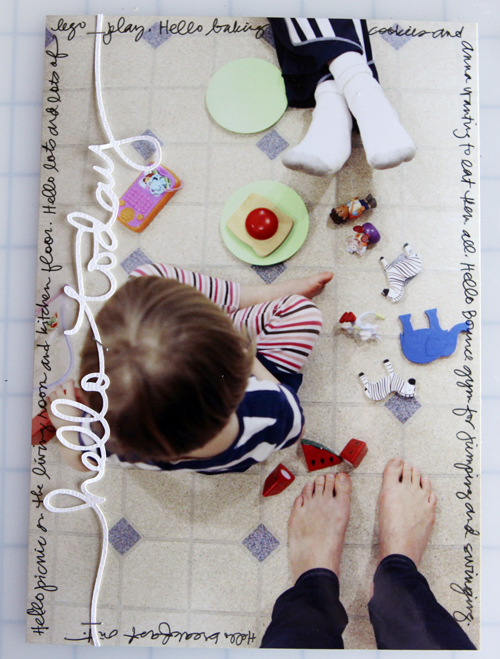
What I liked most about this photo was that it included all three of us - Anna's head, Simon's feet and my feet.
The "hello today" was cut with the Silhouette (and will be available at Designer Digitals this weekend).
I journaled around the outside of the photo using an American Crafts Precision Pen (.03).
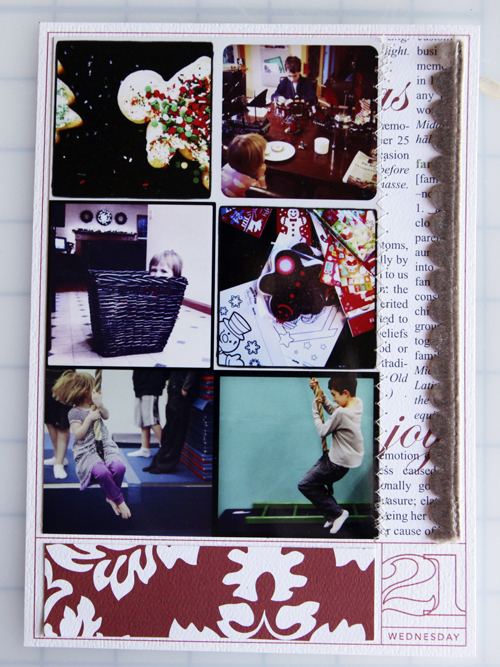
The second page is a collage of instagram images (I just combined them together in Photoshop). Peeks at things happening around here the last couple of days.
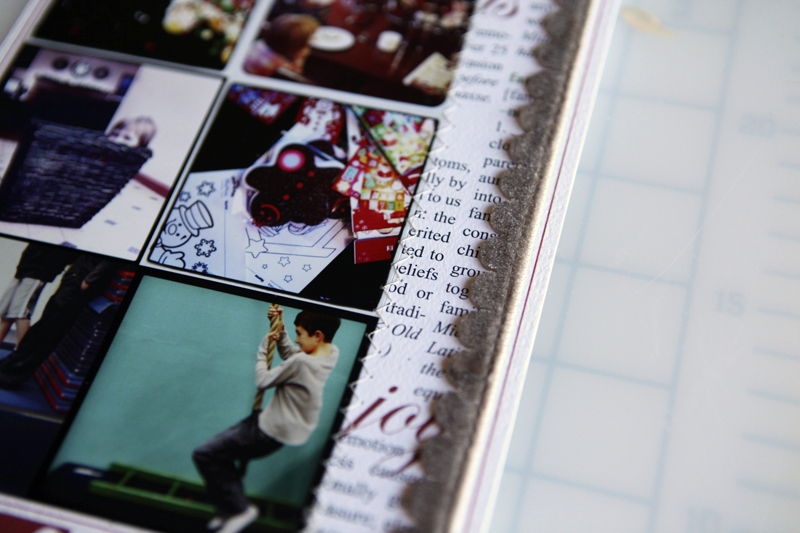
Along the edge I added some text pattern paper and a bit of scalloped ribbon.

SUPPLIES | DAY TWENTY-ONE
Click on the images to link to the products.
SHARE A LINK TO YOUR DAY TWENTY-ONE
You’re invited to include a link to your DAY TWENTY-ONEpage here. Please link directly to your post vs. your general blog link.


Comments
Sign in or sign up to comment.
26 comments
Wonderful!
Replies
Sign in or sign up to reply.
I like telling about everyday life during the holidays ... More during Christmas holidays, because our children are exciting about the Day ... And now, it's realy near from us ...
Thanks for sharing Ali, you inspire me all this dd, today i wrote about decoration ... You did it the 5th !!!
Kisses from France !!!
Replies
Sign in or sign up to reply.
Love it. I think I may actually try December Daily in 2012. :)
Replies
Sign in or sign up to reply.
great page!
Replies
Sign in or sign up to reply.
Hi. I love all the digital words Ali uses on her pages. Some she prints directly onto the photo and some she cuts with the Silhouette. Do I need Photoshop to use these great digitals on my photos, or is there another program or way to use them? Thx!
Replies
Thanks Ali. Your December Daily stories are a huge inspiration for me!! Thanks for doing it, writing it and posting them!
Hi Carla - Photoshop Elements is a really easy way to use those words on your photos. You can download a free trial here: http://www.adobe.com/products/photoshop-elements.html. To use them with a Silhouette you just need the Silhouette :).
Sign in or sign up to reply.
I love photos taken looking down! Hope the picnic was fun. We have often have picnics in the lounge with Miss Three!
I also love that you use photos from the month - not that specific date. This practice has inspired me to take a new approach to my December daily so I can finish it without worrying about not having enough ...
thank you!
Merry Christmas to you, Simon and Ana xxx
Replies
Sign in or sign up to reply.
Ali - I love that you use iPhone/instagram pics. I am a photography and that sometimes gets in the way. I
Replies
Sign in or sign up to reply.
Whoops...didn't mean to hit enter. What I wanted to say was, come Christmas time, I don't want to pic up my camera anymore because I just finished my busy season. But then, I never get pics of my family! I am going to do Project Life this year and will be using my iPhone more.
Replies
Sign in or sign up to reply.
Looks like a lot of fun around there! My kids used to love picnics in the livingroom, and tents set up too. Thanks for the memories. Great layout. :)
Replies
Sign in or sign up to reply.
Love this! I want to use some of my instagrams so it is great to see how you used yours. I just love Anna in that basket. It is just the cutest.
Replies
Sign in or sign up to reply.
almost caught up
Replies
Sign in or sign up to reply.
Great photos! And I love the journaling around the page! Another great idea! Looks like you all had a lot of fun!
Replies
Sign in or sign up to reply.
Wonderful pages Ali!
Replies
Sign in or sign up to reply.
Great layout! What size are those instagram pics? And were they taken with different filters?
Replies
In this page they are about 2.5 x 2.5. And yes - different filters in Istagram.
Sign in or sign up to reply.
really cute as always.
Replies
Sign in or sign up to reply.
Instagram photos......how do you print? What size? Can't tell from the photo, but how is the quality? I have attempted to print some of mine and they come out a bit grainy.....I love them but wonder how I can improve their quality......just curious.
Merry Christiams Ali!
Replies
I just open them in Photoshop (upload to Aperture - what I use for photo management) and make them about 4x4 at 300dpi (go to Image/Image Size to adjust). They look just fine. I think it does depend on which camera you have - I upgrade to the 4 (not the newest 4S) and the camera quality was much better than the 3.
Sign in or sign up to reply.
When you print the Instagram pictures do you just print them on a big page and cut them out? How big are those? I wanted to start using it but I wasn't sure how to print them!
Replies
Yep. This time I put them together on a Photoshop "canvas" (it was about 5.5 x 6.75 - there was extra along the edge). They print fine at about 4 inches x 4 inches at 300dpi.
Do you use Photoshop Elements 10 or 9?
Sign in or sign up to reply.
Love the big picture too and the pick of Anna in the basket...priceless!!!!
Replies
Sign in or sign up to reply.
[...] First up is Hello Joy. These are great for cutting with the Silhouette (I used “hello today” here). [...]
Replies
Sign in or sign up to reply.
[...] December 21 [...]
Replies
Sign in or sign up to reply.