Hybrid/Digital Scrapbooking : 6 things to do with Title + Journal Photo Overlays
Tags: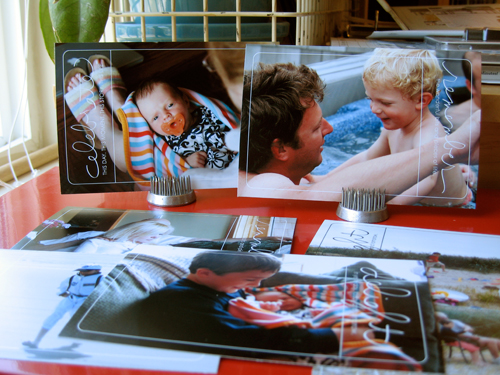
A little something to dress up your photos : 6 Things to do with AE Title + Journal Photo Overlays
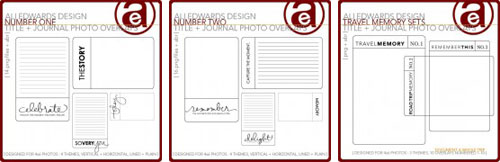
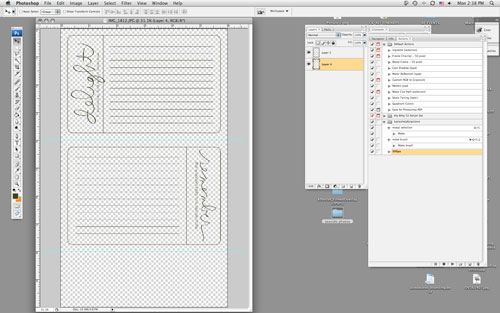
Yesterday we took a look at layout sized overlays. Today I want to focus on smaller overlays that are designed to be used right on top of a 4x6 photo (or as a journal block) and can be used as a brush (the .ABR file - to learn how to load brushes into Photoshop, read here) or as a .PNG file.
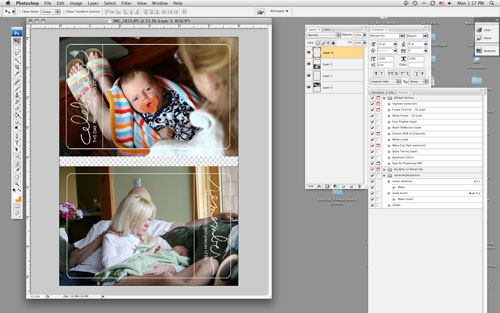
Same process as yesterday in terms of opening your photo and the .PNG file overlay in Photoshop, selecting the overlay with the move tool (the black arrow), then dragging and dropping the overlay on top of your photo.
Here are 6 ways to play with these photo overlays:
1. Add the overlay to a photo, print at home/upload to your favorite developer + add it to a page just like you would a regular photo. When printing at home on 8.5x11 photo paper I usually create a new canvas that is 6 inches x 10 inches. I open a couple photos, drag + drop them onto the canvas, open the overlays and drag + drop them onto the photos, and print.
2. Print overlay on a transparency + add to a layout (could be on a photo or a group of photos or on journaling, etc).
3. Print lined version onto cardstock or patterned paper for a journal block.
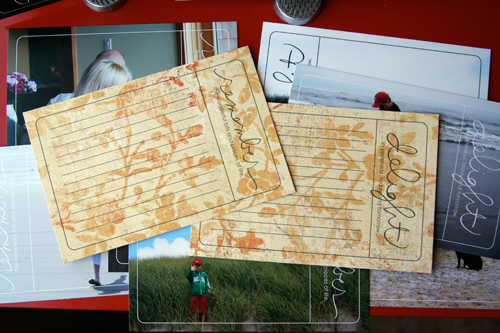
To print on patterned paper I opened a new file (6 inches x 10 inches) and placed two photo overlays on the canvas. I cut my patterned paper to fit in my 8.5x11 printer, loaded it in the printer, and hit print.
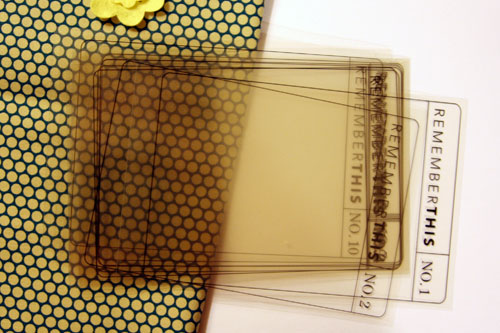
4. Print on transparency + bind together into a transparent mini book. The ones featured below are part of a travel set - each theme includes no. 1 through no. 10. My plan is to use the fabric to create a cover + use the transparencies for the interior pages (adding the photos + journaling on top of the overlays rather than underneath).
5. Print lined version and bind together into a mini book (or adhere onto a chipboard book) - great for a travel book.
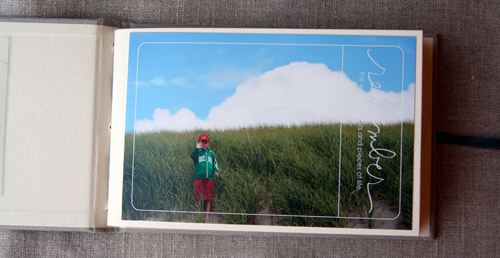
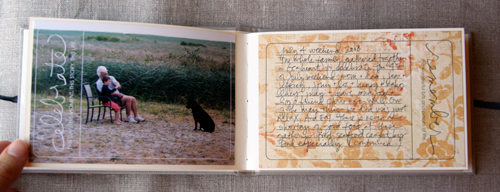
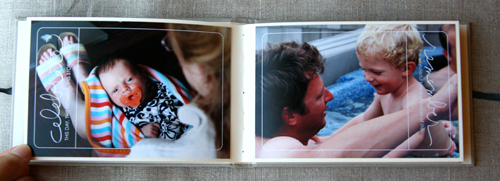
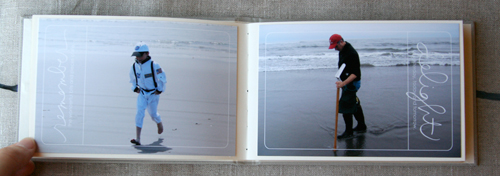
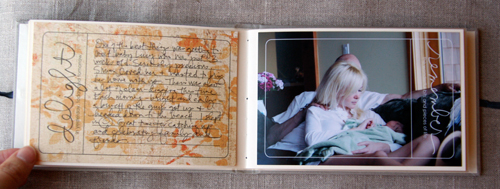
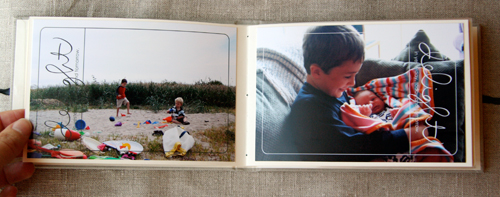
6. Create a 4x6 album that includes the photo overlays in conjunction with the journal blocks. This one is super simple and would make a great gift. If you don't print your photos at home you can add the overlays to your photos before uploading or taking your photo card to the developer.
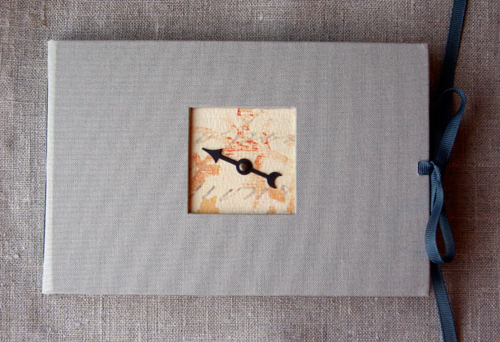
[ 4x6 album: Kolo; Spinner: Tim Holtz; Patterned Paper: My Mind's Eye; Photo Overlays: Ali Edwards for Designer Digitals Number One + Number Two ]
Enjoy!

Another great site to check out for digital education is Scrap Girls. Check out their University section for a ton of tutorials. I found this section on Digital Brushes especially helpful.
For more information on hybrid and digital check out Getting Started With Digital Scrapbooking.


Comments
Sign in or sign up to comment.
54 comments
Wow these are so great and easy to use. Thank you for instructions. I like the 4x6 album with the overlays and journals blocks beside them.
Replies
Sign in or sign up to reply.
love, love, love these overlays Ali!
i am off to purchase some.
thanks for taking the time to share all of this.
you are amazing!
Replies
Sign in or sign up to reply.
Cannot thank you enough for sharing your passion and knowledge with so many of us!
Thanks Ali
Replies
Sign in or sign up to reply.
Ali,
Thank you so much for your inspiration!!! This morning I saw your blog entry and I so wanted to be able to do that!!! Well, I tried it (I have Microsoft Digital Image Pro) and I did it! I made my own overlay. I was so excited. Check out my blog with my first created overlay - yeah I know it looks suspiciously similar to yours!!!!
Replies
Sign in or sign up to reply.
Love the hybrid inspiration. I've been hybrid for years and love seeing it more mainstream now!
Great projects!
y
Replies
Sign in or sign up to reply.
I just love these. Digital always intimidates me, but I think I can do this mini book. Thanks for the inspiration. Oh by the way, I just made your 'pieces of me' book that is in Life Artist. I love it!!
Replies
Sign in or sign up to reply.
Yay, thanks Ali for doing this...I was looking forward to this series since you emailed me back and said you would be doing something like this...great ideas..never thought of printing them onto patterned paper? lol..love how that looks!
Replies
Sign in or sign up to reply.
Ali, you rock!
Thanks so much for sharing your talents and ideas with us. You never fail to give me some sort of inspiration everyday...whether it be scrapbooking or as a person.
As a former desktop puplisher (Quark Express) I can't wait to start into this hybrid scrapbooking world. Best Buy has Photoshop Elements on sale this week for $69 and I hope to get it today. Your timing couldn't have been better for the week long column. Thanks again so much for all you do! Keep it up...
Blessings,
Faith
Replies
Sign in or sign up to reply.
Thanks for sharing this info. I've been wanting to do a week in my life album like the one you showed in Life Artist but the thought right now of a 12x12 is a little overwhelming--someday soon though! So when I saw the "Today you..." overlay my mind started churning. I downloaded the 8.5x11 size and opened it in Photoshop. Resized it by dragging the edges to be pretty much square. Took the eraser tool and erased the word "you" and replaced it with "I". I'm still thinking but my plan right now is to print 7 of these on transparancies--one for each day. Put my activities & thoughts on the bottom for each day, maybe a picture(s) or receipt or something else in the top portion and make a mini book. I'm also thinking of including chipboard pages in between the transparancies so I can include more "stuff."
Thanks again for the inspiration. I love the 4x6 overlays too and plan on printing some for journaling blocks!
Robin
Replies
Sign in or sign up to reply.
OMGoodness... just when I think your blog can't possibly get any cooler... IT DOES.
Thank you so much!!
Replies
Sign in or sign up to reply.
Wow - you always have such great ideas! One thing about the world of digi is that I'm just not very creative when it comes to the use of the elements that I buy. Thanks for all of these tips.
:) Becky
http://www.stinkylemsky.typepad.com/
Replies
Sign in or sign up to reply.
Those must be pictures of your new niece. She is gorgeous.
Replies
Sign in or sign up to reply.
Ali...I LOVE these!!! Do you have to have Photoshop in order to use them? I currently do not have that program and was wondering if there is ahy other program that you can use them with? Thank you, so much!! Judy
Replies
Sign in or sign up to reply.
You always amaze me with your never ending stream of fantastic ideas!
The printed 4X6 journalling blocks in a travel album is such a great idea.
Thanks!
Michelle
Replies
Sign in or sign up to reply.
I love the album and am itching to make something like it!
I also love that you used frogs as a photo stand!
Replies
Sign in or sign up to reply.
I love these Ali! I have to buy these;) I especially love the set you made for 365 project people like me. I want to use those overlays somehow in my completed book for 2008! Thank you for sharing how to get the most out of these.. really helpful:)
S
Replies
Sign in or sign up to reply.
You are fantastically helpful! Love these.
Replies
Sign in or sign up to reply.
I Love those overlays!!! I am looking forward to getting them. Thans so much for your inspiration!
Replies
Sign in or sign up to reply.
Lovely! I will be linking to this in my hybrid scrapbooking roundup tomorrow on my blog.
Replies
Sign in or sign up to reply.
I love these. Great ideas as usual
Replies
Sign in or sign up to reply.